NU


How to Optimize Your Social Media Marketing for Mobile
According to GSMA real-time intelligence data, 5.28 billion people uses a mobile device to access the internet. That means 66.92% of the world’s population has a mobile device.
Mobile devices like smartphones are continuously evolving alongside social media. As a business owner, you need to keep up with the changes to stay on top of your audience’s mind. Future-proofing your business includes optimizing your social media for mobile devices.
Why is Mobile Important?
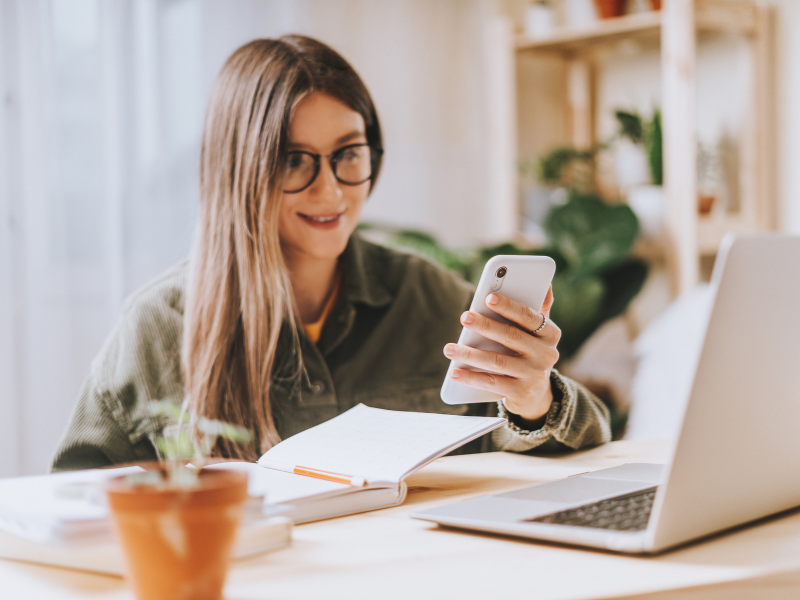
As a website owner, you need to go where the action is; otherwise, you’d be outperformed by the competition. Social media is where the action is, and people access social media sites through their mobile devices. If your site does not look good on a small screen, it will put millions of people off. And you could be missing tons of business opportunities this way! You have to optimize your social media marketing for mobile devices to maintain a strong online presence.
6 Ways to Optimize Your Social Media Marketing for Mobile
Optimize Your Links for Mobile Devices
Posting a long URL link doesn’t look good on a small screen. You need to shorten the links to keep people engaged and make your content appear better on a mobile device. You can use sites like Bit.ly to shorten your links. Shorter links get more clicks than longer links, according to studies.
Load time is just as important, be sure that when people click your links on a social media platform, it will show your website page in 3 seconds or less. You’ll need to have your website audited to check if the load times are up to par. Remember, you only have 1 to 3 seconds to get the attention of your readers, every second counts. If your site is not loading quickly enough, people will move on to other sites just as fast.
Use Mobile-Friendly Visuals
Your visuals may look good on a desktop, but how about on a mobile device? Small screens have different spec requirements for various media, including pictures. Your visuals could look great on a 27-inch monitor but on a three-inch monitor, it might look off.
From the text to the image size, be sure that your website visuals look good on all screens. The text should be easy to scan, straightforward, and it should fit the screen. The pictures should look good even on a mobile phone. It shouldn’t be off-center or teeny tiny.
The same thing can be said for your videos; they should be optimized for mobile devices. If you’re using videos, most will probably watch it with the sound off. Use subtitles for the dialogue so anyone can watch it without the sound. Keep the length short and sweet; not all people are willing to sit through a 2-hour tutorial on a tiny screen. This goes especially for social media sites; keep the video length under 30 seconds.
Use Mobile-Friendly Content for Social Media
Your marketing messages should be short, straightforward, and easy to read on a small screen. A long text with no paragraph breaks will only turn off many people, more so since texts look different on a small screen.
Just to make sure your content is optimized for mobile devices, keep your newsfeed content short. Facebook and Instagram will shorten long text content automatically, and mobile users, being the impatient lot they are, are unlikely to hit the “see more” button.
Your first sentence should always be the most attention-grabbing. It should compel readers to click the “see more” button. Don’t be afraid to experiment when writing your social media shoutouts to make your content more compelling, like adding emojis.
Choose the Right Social Media Sites
To market your business, you need to choose the social media platform that’s most popular among your readers. Facebook is the world’s most popular social media site, and if most of your readers come from Facebook, it’s only natural to customize your content accordingly.
But, don’t put your eggs in one basket. You might cater exclusively to Facebook content, but the formatting may not look good on other popular platforms, like Twitter and Instagram. To strike a balance, use a text style that looks good on most platforms. The same thing goes for the photo dimensions and formatting – optimize for Facebook but don’t forget to cater to IG and Twitter readers.
Collect and Feature User-Generated Content
User-generated content (UGC) is a form of content created and posted by a user. The content could come in the form of a picture, a video, text, or audio. Because UGC comes from real users, not brands, they generate more traffic and interest among readers. That’s because the content is not meant to market a business.
Encouraging and featuring UGC will definitely get a lot of attention. You can encourage your readers to send in their UGC by:
- Offering freebies
- Hosting a content or giveaway
- Using branded hashtags
- Offering rewards
- Asking questions on social media
Optimize Your Website for the Small Screen
Your website design should be mobile-friendly too. So when you post your website link on your social media and people starts clicking, your website looks good on a small screen. If your website design looks off, readers will be quick to leave.
Most website designs are mobile responsive, but it’s worth testing just to see if your website looks good on any screen. This is important, especially for cross-promotions. You want people to follow you, get updates, and access your content in the best way possible.
Social media is no longer considered a trend; it is now the most popular platform for online users. One thing to remember when optimizing your marketing efforts for social media, the content you present should be accessible. It should be readable, enjoyable, and easy to share. With these tips, you can stay connected with your readers on any social media platform and look good on a small screen.

PLEASE COMMENT BELOW