NU



Getting to know Google Analytics


An enigmatic topic for sure, learning how to navigate Google Analytics properly can make or break your online presence. This post is to guide you through the basics so that you know how to use this essential online tool for your benefit correctly. From data tracking methods to interpreting this information in a meaningful way, this no-cost tool provides you with everything you need to see true digital success.
Starting Your Google Analytics Journey
When you kick start the process, the first pleasant surprise you encounter is that this tool is entirely free to use. It tracks all the information relating to your website or online campaign – converting that data into usable details that help you improve your tactics.
Getting started is simple. Just sign-up your business for Google Analytics with a Google account. From there, you get a unique piece of code that enables tracking. Tag this code to the head of every page you wish to observe. With this done, you can visit the online portal and check out the reporting.
Goal-Setting Improves Success
As with anything in life, Google Analytics works better with realistic and achievable metrics. Called a ‘New Goal’ in the system, these range from increased traffic to lead generation. You can have up to 20 goals for each site you track. Google then uses these parameters to offer you useful reports on your site’s performance from your chosen perspectives.
Teamwork Tactics
Bear in mind that, if you work on a team, individual access is adjustable. This means that your sales staff and IT department won’t receive all the same reports. Limiting this information often improves performance.
All About the Reports
Now that you have reporting enabled, you can learn critical information like your target market, the number of visits, and how your audience interacts with your site. Some of the most popular reports are:
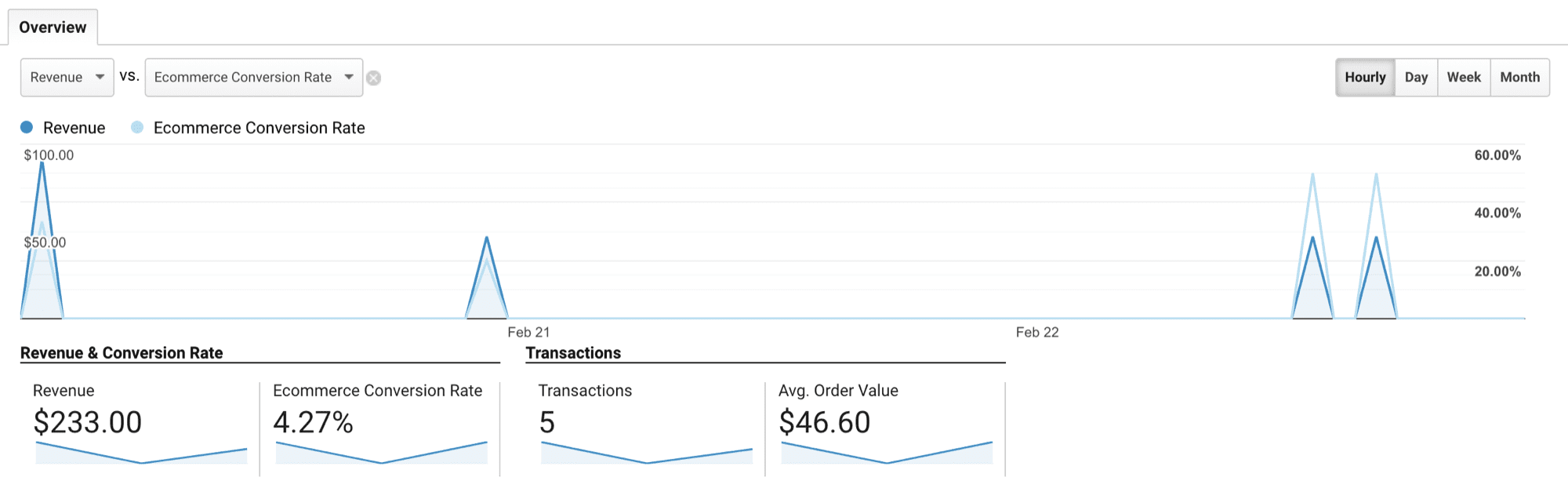
Conversion Data:
Perhaps the most popular report informs you of the behaviour that leads people to act on your website. Focused on links, these details for you, whether it is an excellent call to action or an affiliate link that has customers engaging with what you have to offer.
Acquisitions:
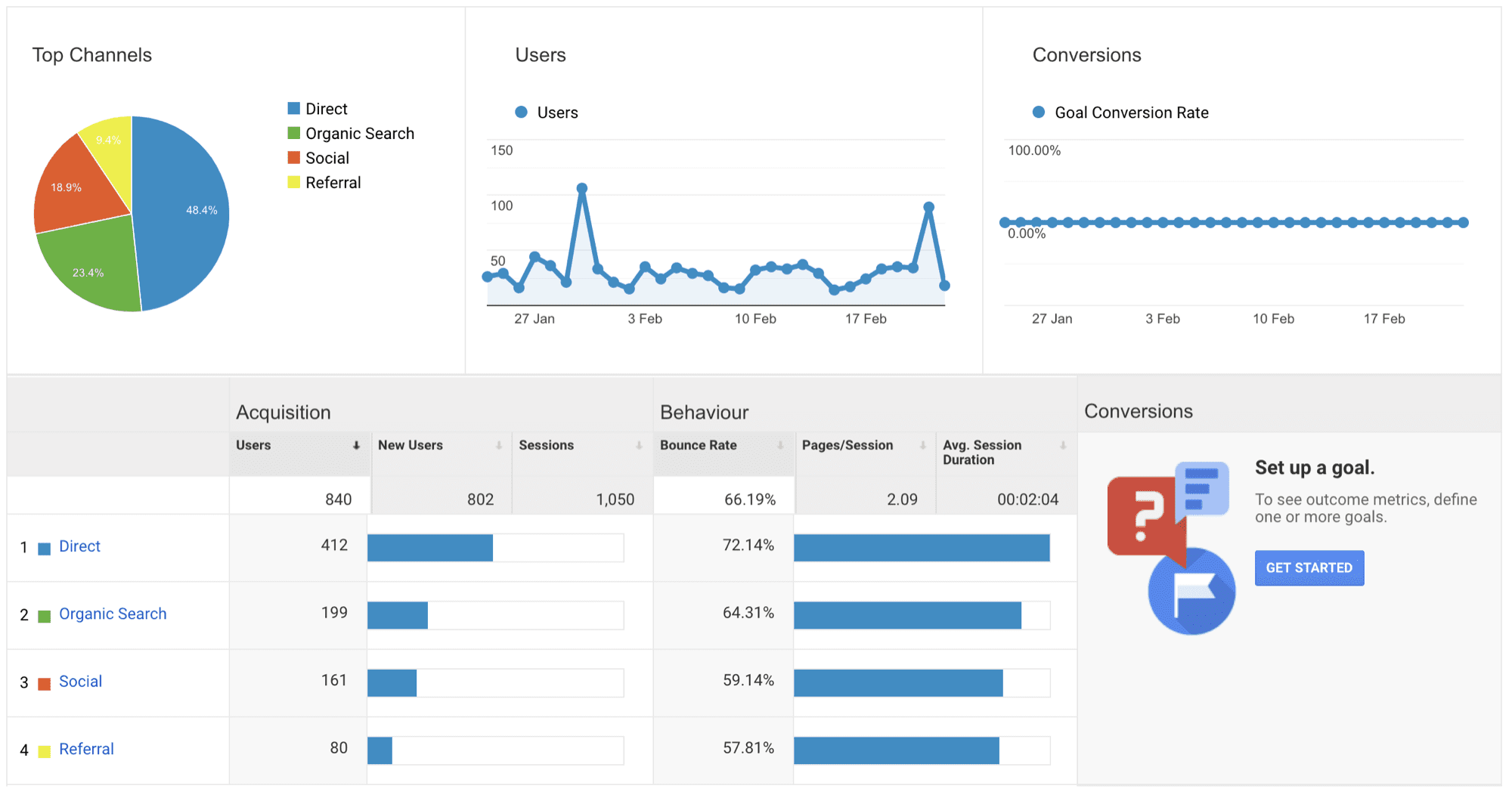
This tells you how you can leverage your site to gain more views and visits. It uses a location metric to help you gain useful data.
Audience Details:
Essentially, these details which your market is including numbers and locations.
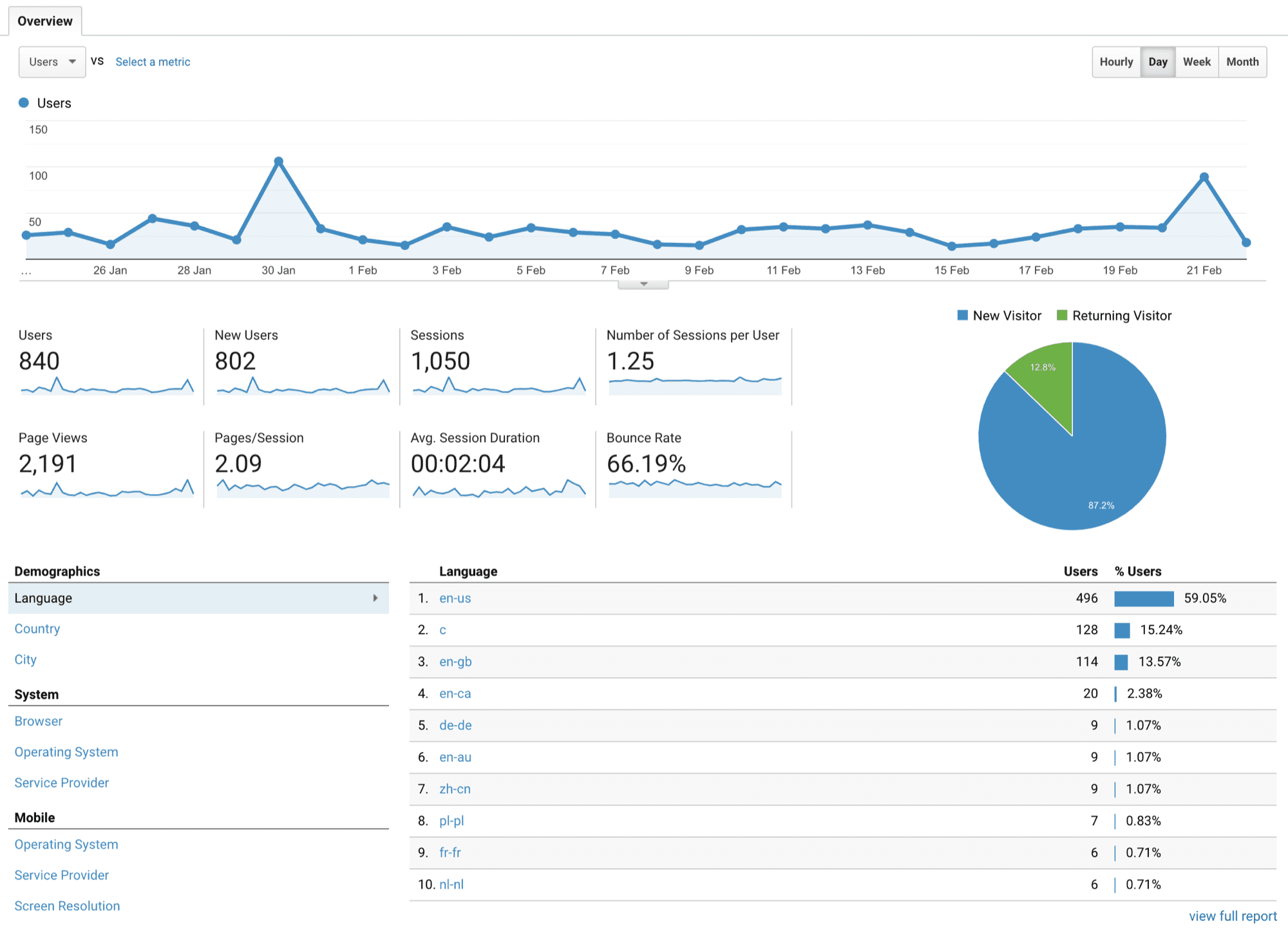
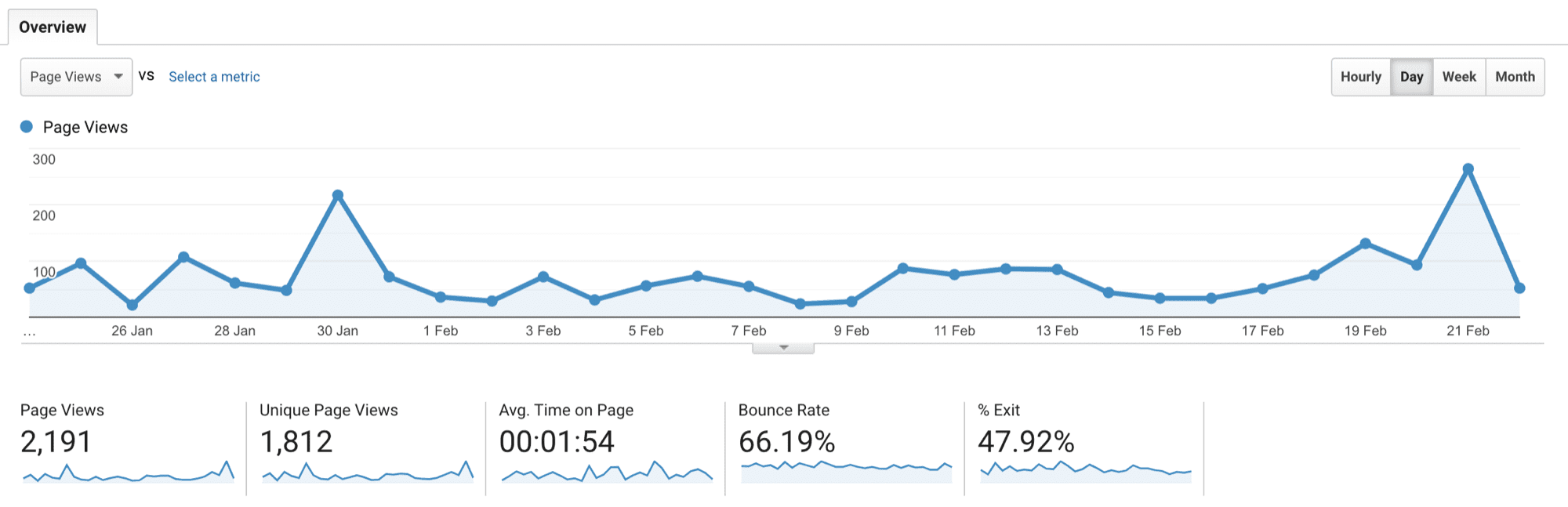
On-site Behaviour:
In short, this parameter shows you what people do while on your site so you can tell what pages/links are working and which ones aren’t.
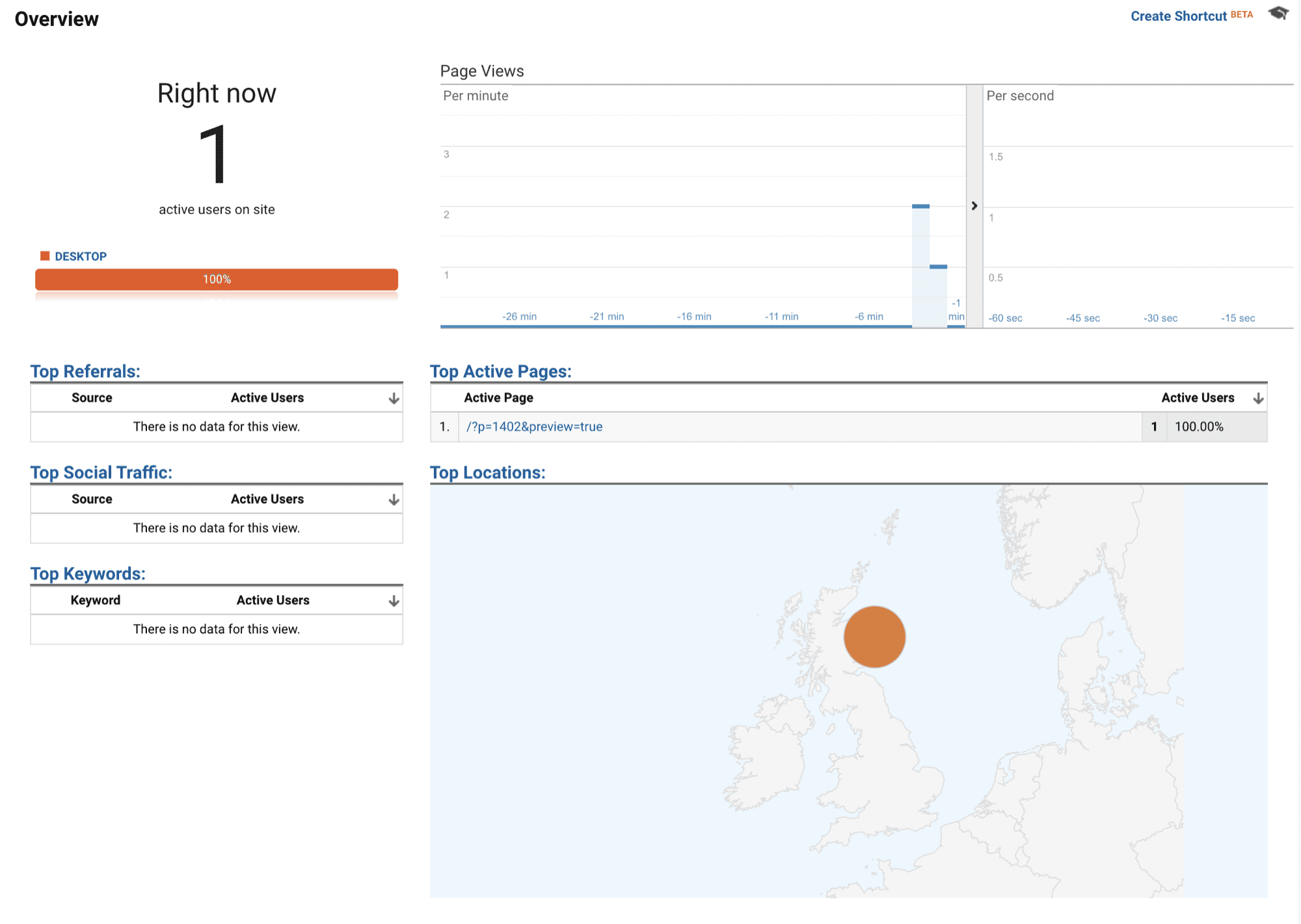
Real-Time Feedback:
Exactly what it sounds like, Google Analytics shows you what your audience is doing and how your site performs at the moment.
Customers across the globe use Google Analytics to understand their businesses better and use that knowledge to drive profits. Learn what you can about your online company’s performance and increase your income and success through the Google Analytics platform. It’s tried and true and will help you too.
You can sign-up for a Google Analytics account at this link.



[…] the Google Analytics tracking code and install it on your website. If you're on WordPress, search for the “Google […]
[…] know which blog posts drive more traffic on your website and which perform poorly if you track the analytics. By measuring the metrics, you can improve your content strategy, discover trends, and drive more […]
[…] the metrics also determines the effectiveness of the content itself. You can check how many people are […]
[…] the desired action when they are on your website? You'll know by measuring the conversion rates via Google Analytics. This tool lets you track conversions to determine how many readers are successfully signing up for […]