This is one of my favourite spaces to share our new branding and website launches, along side some fantastic business information.
How to Start a WordPress Blog with SiteGround

I started blogging about four years ago because frankly, I just love to write.
I’ve been writing since I was a kid sitting in my bedroom window seat at my parent’s house.
Of course, back then I was writing about the cute boy I sat next to in math class or scripting a sequel to Harry Potter where I was his love interest and we lived happily ever after.
Anyway.
I just knew blogging was for me.
So, I started a blog.
I watched all the videos, I followed all of the tutorials, I paid for hosting sites, I even had free blogs, but blogging just isn’t as easy as it seems.
There’s no one size fits all solution.
Even though I had thought I was doing everything right, I wasn’t getting traffic, my blog posts were short and frankly boring to read, and I was getting nowhere fast.
Needless to say, after many failed attempts, five to be exact, things started to fall into place.
I finally created a blog that drove traffic, that people wanted to read and most of all, built a community!
And that’s what I want to share with you today.
After trying multiple hosting companies as well as multiple blogging platforms with little to no success, I found something that worked and worked well!
I’m going to take you step-by-step through setting up your blog in less than 15 minutes.
Some of the links in this post are affiliate links which means I may receive a small commission if you choose to use my link to purchase a product or service from that particular link.
Pick a niche
While yes, you can start a blog with the intention of creating a hobby or an outlet for your personal journals, I’m going to specifically be talking about starting a blog with the intention of turning it into a profitable business.
With that being said, before you even pick out your fancy new domain name and your hosting, you need to pick a niche for your blog.
Picking a niche is extremely important in blogging.
Your niche is what you are going to be blogging about. Parenting, DIY, recipes, business, brick and mortar businesses, social media…etc.
Make sure you choose a topic that you are knowledgeable about, that you can continue to scale and write for a long time and of course, serves your audience.
Do you run a home decor business?
Your blog could be about how to find budget-friendly home decor or how to style your home etc.
You also want to think about monetization if that is something you want from your blog. Is this blog topic profitable?
Does it serve a particular audience?
How can I monetize my blog?
Ads, affiliate links, courses, products, and services are all great ways to serve your audience as well as monetize your blog.
WordPress.com vs. WordPress.org
Next up on your list of blogging “to do’s” is to decide which platform you are going to blog on.
Of course, there are a plethora of blogging platforms you can choose from but I’m going to narrow it down to just two, wordpress.com and wordpress.org because these are the two I trust the most with both of my blogs.
So uh, what’s the difference? They’re both WordPress, right?
While yes, they are both WordPress, there is a big difference between the two and I’m just going to break this down simply.
WordPress.com is not a self-hosted site. This means that WordPress owns your domain name as well as your hosting.
This makes it difficult to monetize your site and becomes very expensive when you are ready to grow your blog.
The only pro to wordpress.com is that it is free but again if you’re blogging for more than just a hobby or plan to be this isn’t the route you want to take.
WordPress.org is a self-hosted site.
This means you own the domain name and you set up hosting with a different site like SiteGround but don’t worry, we’ll go over all that!
Basically, if you want to blog for your business, monetize your blog and have more control over your blog, wordpress.org is for you!
When thinking of a self-hosted site like WordPress.org where you need to purchase a host and domain, think about your host as the land and your domain as your house.
You, the person that lives in the house is the content of your blog which lives in your domain/home for this example.
You pay a hosting company for the land and a home which allows you to do whatever you want within your domain.
You can make money, you can change anything and everything, you have full control! Just as you do with a home you own.
When it comes to WordPress.com it’s like renting an apartment.
Your landlord owns the building, your landlord can tell you what you can and cannot do and you are not given as much freedom.
Choose and Register your Domain Name
Your domain name is the name of your blog so you really want a domain name that fits your brand and your blog.
The biggest thing to remember when picking a domain name is to try and avoid a name that looks or sounds similar to another domain.
This can be confusing to your audience and it’s just a good idea to choose something different than what’s already out there.
Keys to remember
- Choose a .com domain name. While other sites may use .co or even .net and do well, it’s just easier for you and your audience to remember and find a .com website.
- Avoid numbers or symbols in your domain name. Again, numbers and symbols are hard to remember and can make your domain look muddy.
- Make sure your domain matches the feel of your blog. If you write about home decor, your domain could be decorgenius.com or homedecorfinds.com.
- When in doubt, use your name as your domain name.
Once you’ve chosen your desired domain name it’s time to register it. This usually costs about $10-$15 a year.
While you can register your domain with your hosting company, for added security, I’d recommend registering your domain with a separate company like Hover.com.
Setting up your Hosting with SiteGround
My preferred hosting site is SiteGround for many different reasons but basically, SiteGround is the most reliable, has the best customer service and has great site speed.
SiteGround is the only hosting company I trust both of my blogs with and the only hosting I recommend to anyone looking to start a blog.
Set up your blog with Siteground using this video tutorial or continue reading below >>
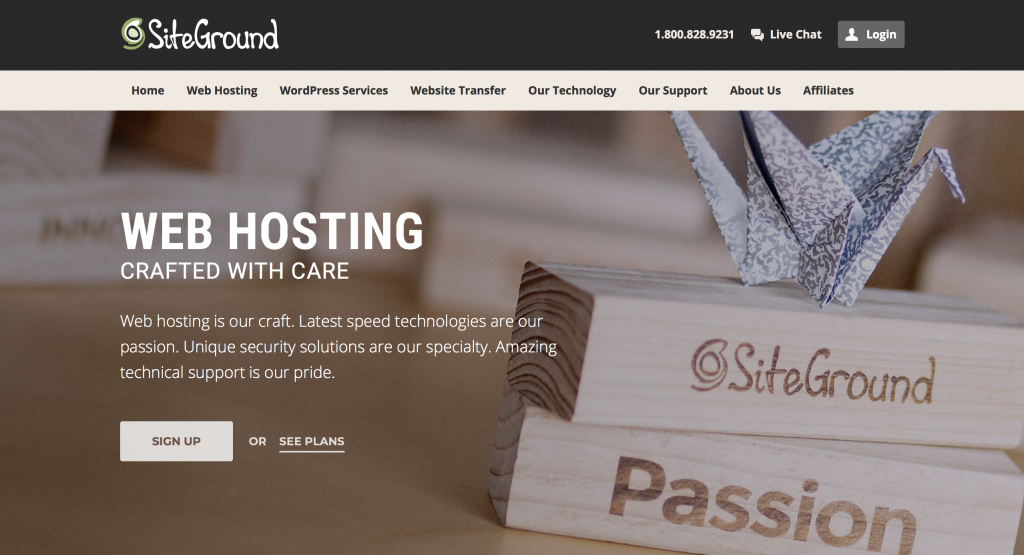
If you’d like to follow along and set up your hosting, head over to SiteGround.com and click see plans.
Pick a Hosting Plan
SiteGround has three hosting plan options that you can choose from. It’s up to you which one you think will work best for your business and blog but as a beginner with only one blog domain, I do recommend the “Start-Up” plan.
You can always upgrade if needed but this plan works great when you’re just starting out and it’s less than $4 a month! That’s less than my Netflix subscription!
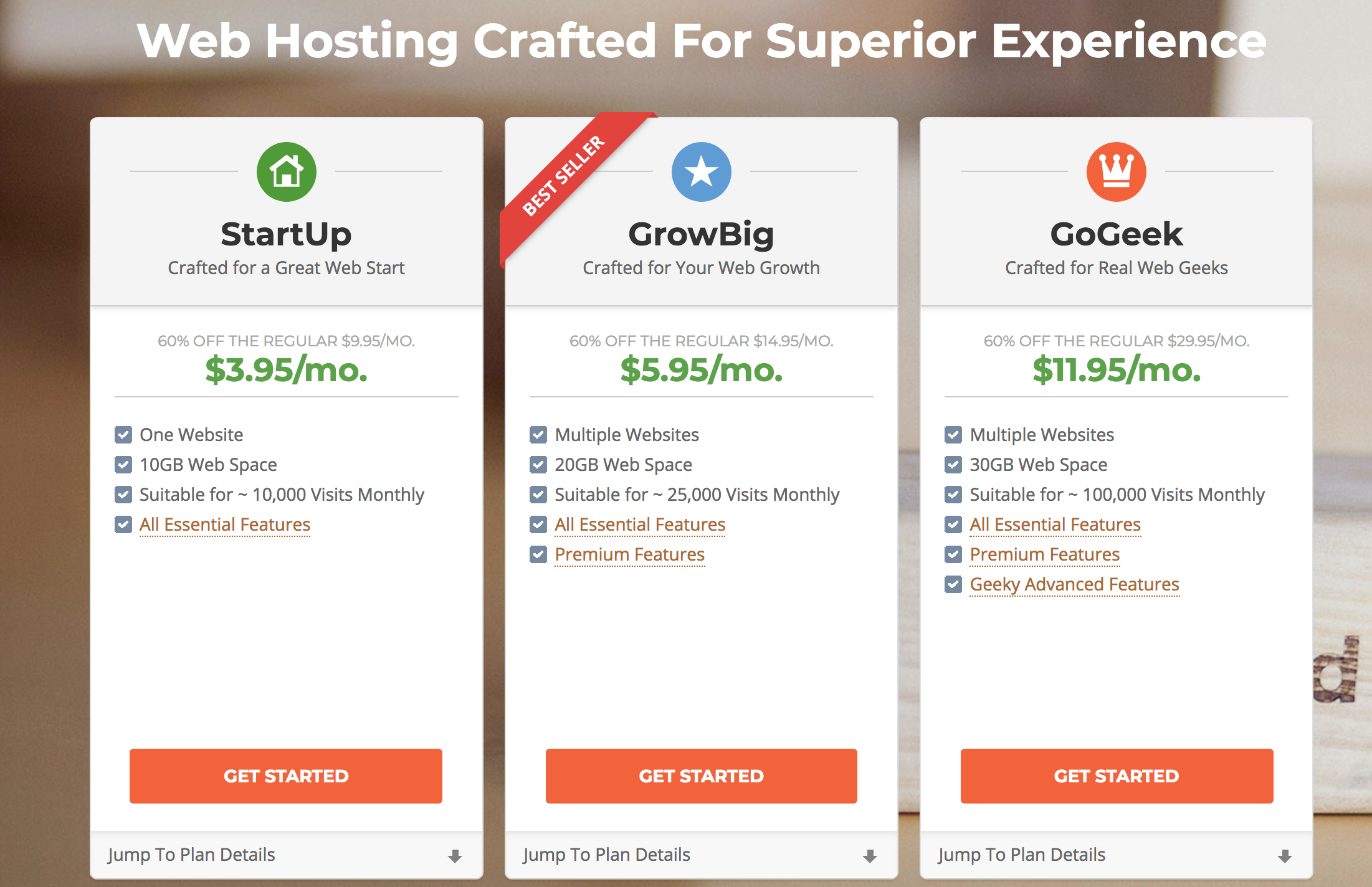
Once you’ve chosen the plan that works best for you, click get started. Because you’ve already chosen your domain name and have it registered, click the “I already have a domain” and type it in.
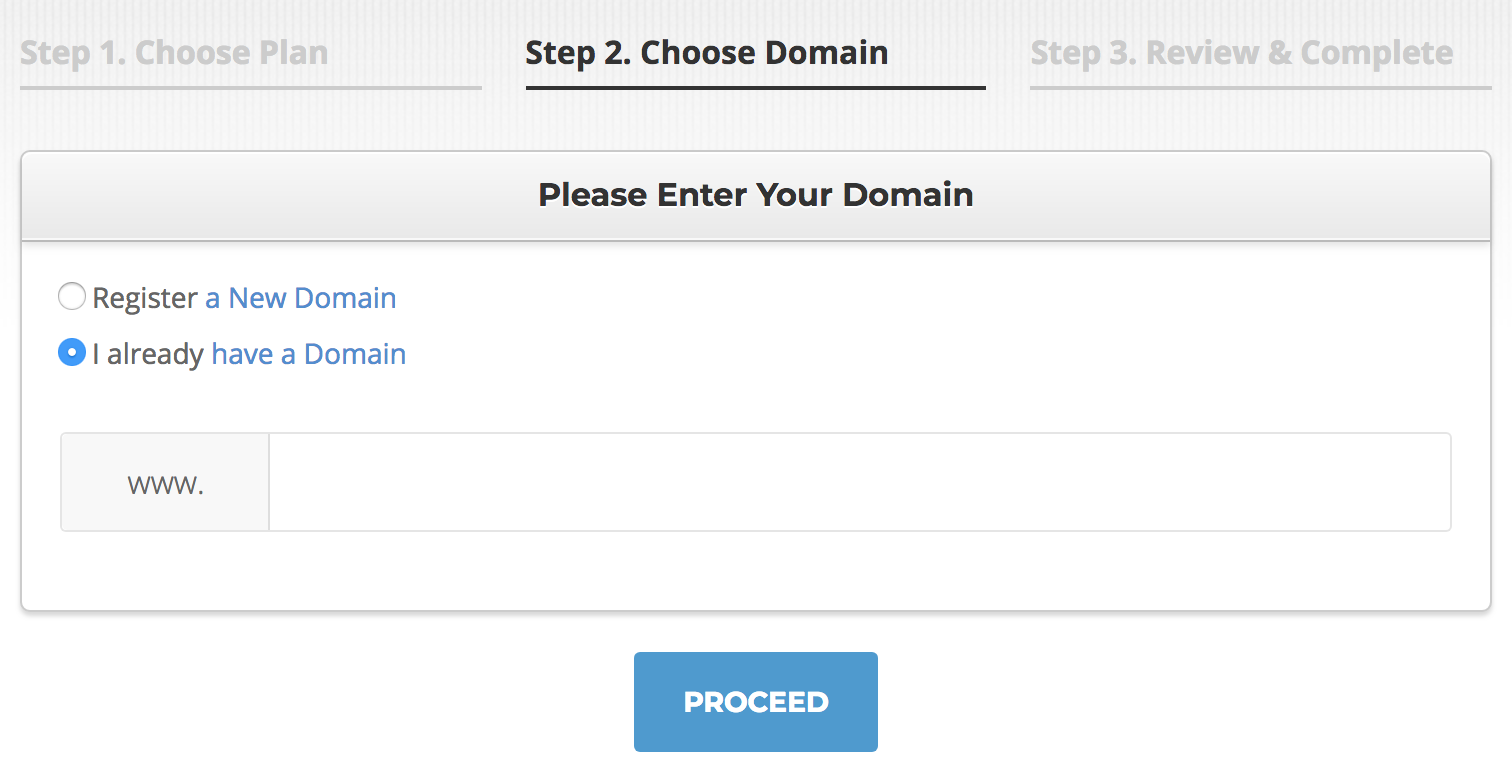
Click “Proceed”. You will then be asked to input all of your billing information and such. Check to make sure you have the correct hosting clicked and that you have hosting for a year (this is the best deal).
It asks you if you want the SG Site Scanner. This is not something I personally use but it’s up to you, again, do your research and find what works best for you and your blog.
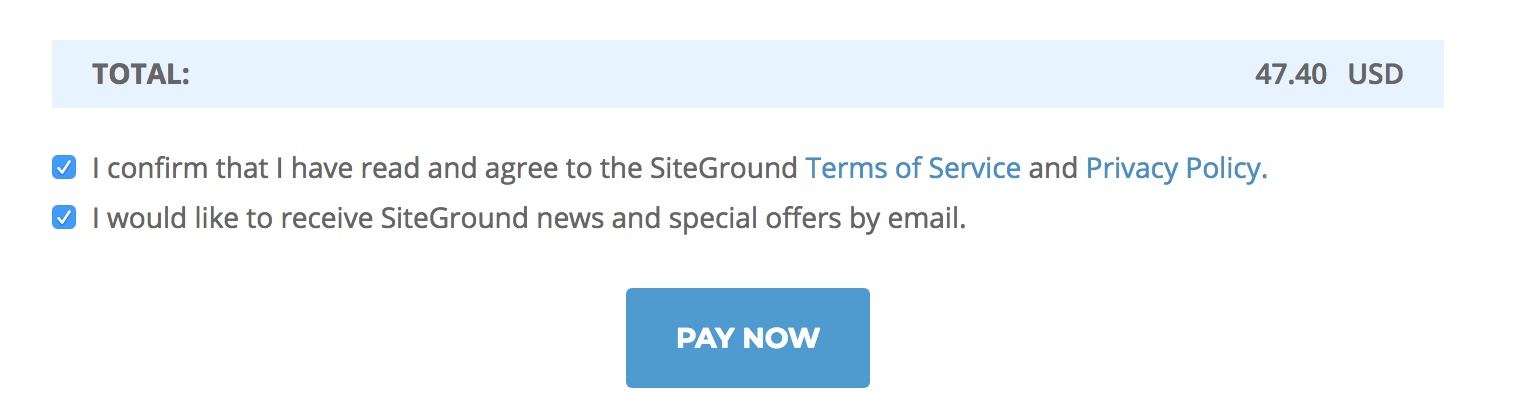
Once you have picked out a domain name for your blog that is available, go through the rest of the form and fill it out.
You can purchase the domain and hosting for up to three years if you choose or one year at a minimum.
Once you pay, you officially have hosting and a domain for your blog for an entire year!!
The scary part is over and you are now ready to install WordPress! Don’t worry, I’ll break this all down step-by-step but if you’d prefer, SiteGround will actually do it for you! Uh yeah, they’re pretty amazing!
To have a SiteGround representative set up WordPress for you, click on “support” at the top, scroll down to the bottom and click “request assistance from our team.”
They will then ask you to tell them what you need help with and they will get you started right away!


Once SiteGround has installed WordPress for you, just use the log in information they give you, log into your site and get familiar with it.
>> If you want to learn how to install WordPress yourself, follow along with the instructions below.
How to Install WordPress on SiteGround
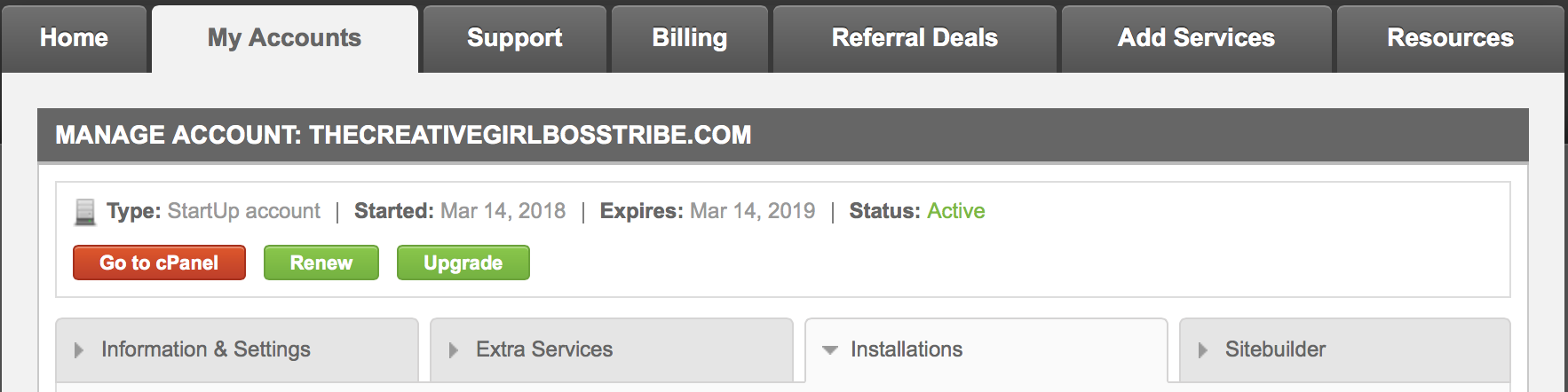
Step One: Click on the “My Accounts” tab at the top of the page. Next Click on the bright red button that says “Go to Cpanel”.
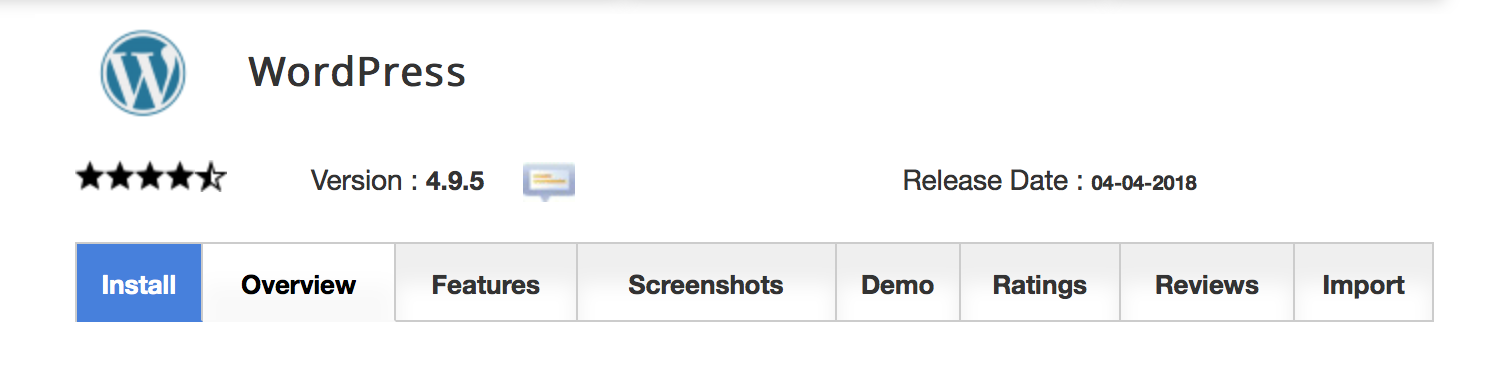
Step Two: Once inside your cPanel, scroll down to auto-installers and click on the WordPress icon. Next click on install at the top of the page.

Step Three: Once you click install, they take to another page that asks you a whole bunch of questions about your blog and domain. Let’s go through it one step at a time!
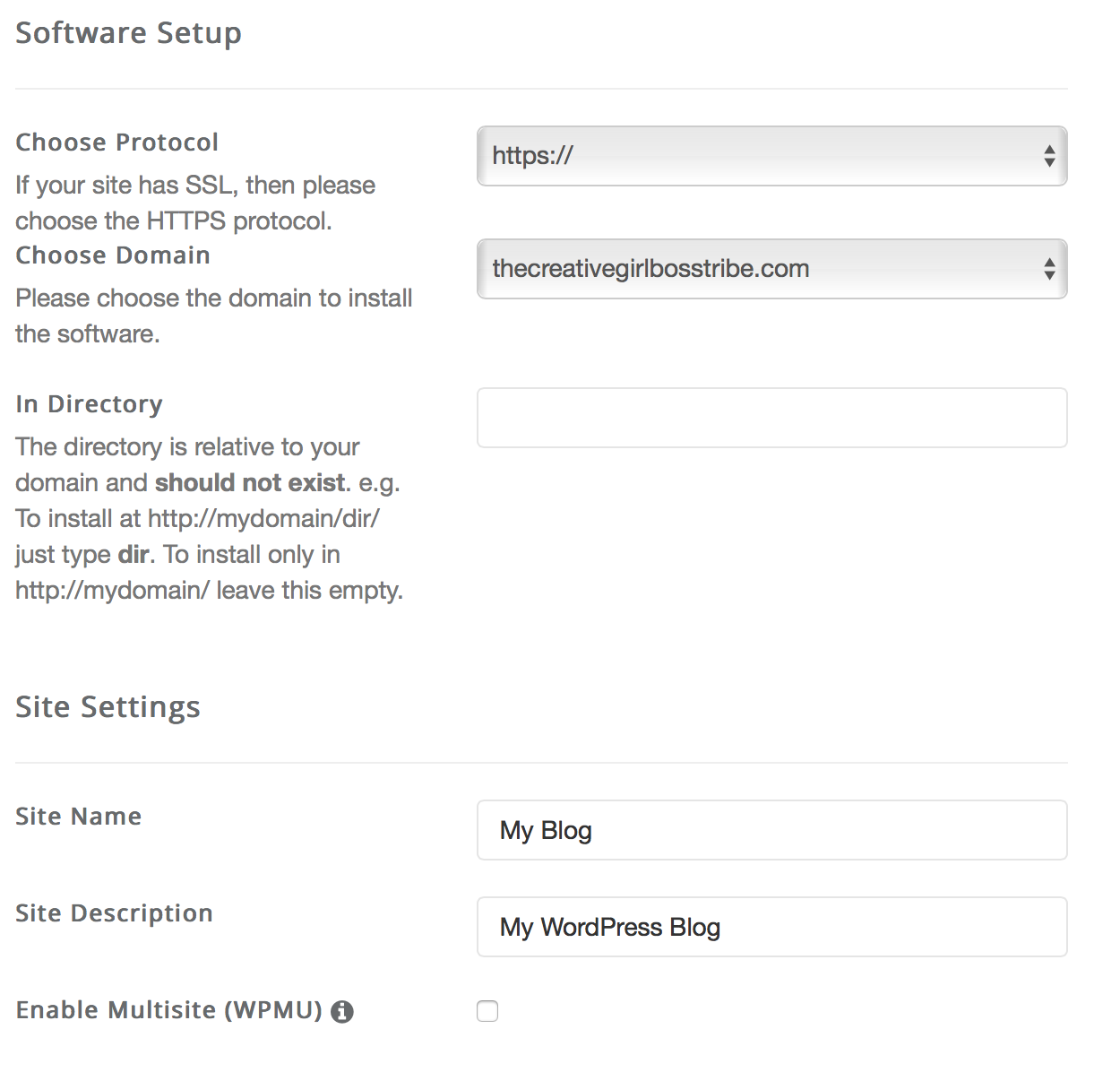
Software Set up
Choose protocol: Select https://
Choose Domain: Click the domain that you just made for your blog.
In Directory: Leave this part blank.
Site Settings
Site Name: This is the name of your WordPress site. You can easily change this at any time. I usually just write my domain name for this section.
Site Description: This is the tagline of your blog, what you do, what your blog is about. Again, this can easily be changed at any time within WordPress.
Enable Multisite: Leave this unchecked. You do not want this enabled.
Admin Account
Admin username: Make this something you remember, this is what you will use to log into your WordPress account.
Admin password: Again, make this a password you can remember. It will be used to log into WordPress.
Admin email: Enter the email address you use for your blog.
Choose Language: Choose the language you want your WordPress blog installed in.
Select Plugins
Limit Login Attempts: This can be useful to boost security on your WordPress site.
Contact form: Leave unchecked.
Choose Theme: I left this blank but if you want, you can choose a theme here or in WordPress when you log into it. Your choice.
Once this is all filled out to your liking, click Install!
TADA, you officially have a WordPress site for your blog! To log into your WordPress site, go to yourblogname.com/wp-admin.
You can explore, install a blog theme and get a feel for your brand new blog!
If your domain is registered with Hover.com, you will need to do an extra step to point your domain name to your SiteGround hosting.
I know this sounds complicated but I promise it’s not! You can read Hover’s tutorial on this.
You can also ask SiteGround for help and they’ll help you do this as well!
If you’d like to sign up with SiteGround for less than $4 a month, use this link!
How to Migrate your current WordPress blog to SiteGround
What if you already have a WordPress blog that you want to easily migrate to SiteGround? Luckily, SiteGround has just released an even easier way to do this!
You can now install the brand new SiteGround Migrator plugin to any wordpress.org site and simply migrate multiple blogs to SiteGround for FREE! Heck yes!
If you have one blog or multiple blogs you’d like to move over to SiteGround hosting you can get the full tutorial here.
Now that you officially have your hosting and domain set up, it’s time to explore your new WordPress site. This is the fun part!
You can find a tutorial on how to use and set up your WordPress site here.
>> Don’t forget to pin for later
April 23rd, 2018 at 7:19 am
Thank you for sharing! Very informative!
April 23rd, 2018 at 9:43 am
Thank you, Ariel! Glad you enjoyed this post!
April 23rd, 2018 at 7:21 am
I’m also blogging using WordPress. Still have a lot to learn.
Thank you for the info.
Very nice and neat blog by the way!
April 23rd, 2018 at 9:44 am
There’s a lot to learn about WordPress but once you get the hang of it it’s a really incredible blogging platform! Thank you so much, Ariz!
April 23rd, 2018 at 9:23 am
Thanks for the information! Definitely, your blog is a must-read!
April 23rd, 2018 at 9:44 am
Thank you so much!!
April 23rd, 2018 at 6:09 pm
Great tutorial. I have always been torn between siteground and bluehost… The configuration looks easy to follow. Thanks for the post 😊
April 23rd, 2018 at 8:54 pm
Thank you!! I haven’t personally used Bluehost so I can’t speak to them but I just really enjoy how simple SiteGround is to use and the customer support is just incredible!
April 25th, 2018 at 7:25 am
This is such a great post about helping someone step by step through setting up their website. Thanks for sharing. Very informative
April 25th, 2018 at 3:18 pm
Thank you so much!! I’m glad you found this post so helpful!
April 25th, 2018 at 10:19 am
I’m glad I never had to worry about it!
April 25th, 2018 at 3:19 pm
haha yeah, there can be a bit of a learning curve with WordPress and hosting and whatnot, but I’ve set up four different blogs with WordPress now so I’m much more familiar with it!
April 25th, 2018 at 3:00 pm
This is so helpful for someone that is just starting, I love the way you explained self hosting vs renting 😉
April 25th, 2018 at 3:19 pm
Thank you so much, Paula!
April 25th, 2018 at 3:03 pm
This is very useful. Siteground is wonderful, but as far as tech support you have to speak tech to understand them. Will you include a step by step home to integrate email? I have subscribers, but I know they haven’t been receiving their weekly blogs. I reset the API but I don’t know if it I did it right until tomorrow because I set a scheduled email to EU subscribers about the GDPR. Let me know, thanks!
April 25th, 2018 at 3:22 pm
Thank you, Bonnie! Oh, I’m sorry you’ve found SiteGround tech support difficult to understand. I’m not tech savvy and really cannot understand tech language so I always tell them right off the bat to explain everything slowly! I apologize, I’m not really sure I understand your question. This may be an issue with WordPress or whoever you’re using to have your clients sign up via email. I personally just have email set up via WordPress for people who only want my weekly blogs and Mailchimp for those who sign up for my freebies.
April 25th, 2018 at 8:50 pm
Such a great tutorial! I was afraid to do this myself when the time came!
April 26th, 2018 at 3:54 pm
Thank you so much, Rachel! Tech stuff always makes me a bit nervous too!! It’s just not my strong suit!
April 27th, 2018 at 8:17 am
Great info for those who need a revamp or are just starting out as bloggers!
April 27th, 2018 at 1:29 pm
Thank you so much, Marta!
April 27th, 2018 at 8:32 am
I recently switched from Blogger to WordPress. I ended up hiring someone to help me get my WordPress going and transfer over my posts from Blogger. I am so happy with WordPress, it is so much easier to use than I thought it would be.
April 27th, 2018 at 1:30 pm
That’s fantastic, Lee! I completely agree, while there is a lot to learn on WordPress it’s definitely a lot easier to use than I thought it would be as well!
April 27th, 2018 at 9:12 am
Thank you so much for the step-by-step guide, you truly did help clarify quit a bit for me!
April 27th, 2018 at 1:31 pm
That’s fantastic to hear, Chanell! Glad you enjoyed this post!
April 27th, 2018 at 10:11 am
Great insight! WordPress can be so intimidating sometimes!
April 28th, 2018 at 7:40 am
Thanks, Amanda!! It really can be!
April 27th, 2018 at 1:27 pm
I’m on blogger but am saving this incase I switch to WordPress! xo
April 28th, 2018 at 7:40 am
That’s fantastic! Thank you so much, Kelsey!
April 28th, 2018 at 4:14 pm
This is great advice, thank you for laying it out so clearly. I’m currently self-hosted and it was a big leap! But so worth it.
April 29th, 2018 at 7:11 am
Thank you so much, Helen! I’ve recently moved all of my blogs over to self-hosted as well and I’m so happy I did!!
April 30th, 2018 at 11:02 am
Great post. I think setting up a WordPress blog is much easier than many people realize. I’ve never used SiteGround. Generally, I set up on GoDaddy or Bluehost. Have you found it to be reliable?
April 30th, 2018 at 11:40 am
Thank you, Keelie! Yes, I completely agree! I’ve also used GoDaddy for other websites and I think it works fine. I do find SiteGround to be really reliable and I just really enjoyed their customer service and how easy they made it for me to set up and transfer two blogs over to SiteGround.
May 1st, 2018 at 9:47 pm
I also just transferred my website to a new host. I had to set up wordpress again and I can confirm that the steps in this article will work on other web hosting sites as well
May 2nd, 2018 at 9:21 am
That’s great CJ!
May 2nd, 2018 at 6:48 am
I recently just went through this entire process. Instead of using siteground, I use bluehost!
May 2nd, 2018 at 9:22 am
I’ve heard a lot about BlueHost too but have never tried it myself!
May 2nd, 2018 at 7:35 am
This is so helpful! I’ll have to pass it onto friends who want to start a blog. I might eventually switch to WordPress as well.
May 2nd, 2018 at 9:23 am
Thank you, Amber!! That’s great! I hope this is helpful for your friends as well!
May 2nd, 2018 at 8:08 am
Yes, is very useful. I have a free WordPress account, and because of that, I can’t enable rich pins. Because I know Pinterest the best when it comes to social media I really want to be able to do that, so I have to move my blog to a paid plan. My question is if I choose to upgrade my wordpress.com to a premium plan, will I be transported to wordpress.org? or is it still wordpress.com? Have you tried it?
May 2nd, 2018 at 9:28 am
Thank you, Cristina! That’s a bummer. Yeah, Pinterest is really fantastic for blogger’s traffic especially new ones! No, if you choose to upgrade to a premium plan on wordpress.com you will still be hosted by wordpress.com which means you will still have limitations and it will cost you a LOT more to do it that way. If you want to install a wordpress.org account you need to have a hosting company, like SiteGround or BlueHost. Transfering your wordpress.com blog to a wordpress.org blog is really easy and you should be able to transfer everything, ie. social shares, comments, blog posts, etc. Getting a web host like BlueHost or SiteGround will only cost about $65 a year whereas I believe a premium plan on wordpress.com is well over $200 a year.
May 2nd, 2018 at 9:25 am
This is really good for anyone who needs advice on starting a blog and the information is pretty useful.
May 2nd, 2018 at 9:43 am
Thank you, Joan!
May 2nd, 2018 at 9:33 am
I use WordPress and it is so much easier than platforms I have tried in the past. I really need to try siteground, but haven’t gotten around to it yet.
May 2nd, 2018 at 11:04 am
I love WordPress too! I find it so easy to use once you get used to it! I really really love SiteGround but have heard good things about other hosting companies as well.
May 2nd, 2018 at 11:25 am
I did this with my 2nd blog. I love the freedom that I have. I am able to install plugins where I want them. The support offered by Siteground is outstanding.
May 2nd, 2018 at 12:05 pm
That’s fantastic, Dona!! Yes exactly!! There is so much more freedom that comes with a self-hosted site! I’m so glad you’re loving SiteGround as well!
May 2nd, 2018 at 12:32 pm
Setting up a blog is a lot easier than most people think. Thanks for explaining the difference between wordpress.org and .com, as I didn’t know they were separate things!
May 2nd, 2018 at 3:54 pm
I agree, Ann! Yeah of course! Glad I could clear that up a bit!
May 2nd, 2018 at 2:27 pm
These are really detailed information! A new blogger would definitely benefits a lot from this post!
May 2nd, 2018 at 3:55 pm
Thank you so much, Carrie!
May 2nd, 2018 at 7:53 pm
This is very helpful. I actually use site ground with WordPress incorporated and the transition went really smoothly.
May 2nd, 2018 at 8:31 pm
That’s great, Tina!!
May 2nd, 2018 at 10:28 pm
Thanks for your post. It was so informative and helpful for me to know the differences between wordpress.com and wordpress.org.
May 3rd, 2018 at 9:18 am
Glad you found this post helpful, Patty!
May 2nd, 2018 at 11:22 pm
This post was very informational. I remember when I started blogging, I did not know where to start or even how to start, but with good guidance, I was able to plant my foot in the ground and make it happen.
May 3rd, 2018 at 9:19 am
Thank you, Essi! Yes, exactly! There’s so much to learn but luckily there is so much helpful information out there to help!
May 3rd, 2018 at 7:43 am
this is a great detailed way to start your wordpress blog, even if you are blogging and are switching from another platform. i def googled that when I first started blogging. Thanks for all the helpful info!
May 3rd, 2018 at 9:20 am
Thank you so much, Andrea! Yes!! Google is my best friend when it comes to anything techie!!
May 3rd, 2018 at 8:58 am
Great thorough step by step instructions, WordPress can be tricky when you are just beginning so this is super helpful!
May 3rd, 2018 at 9:23 am
Thank you, Cortney!
May 3rd, 2018 at 9:45 pm
These are excellent blogging newbie tips. I have been blogging for 5 years on wordpress so I agree its the best for bloggers.
May 4th, 2018 at 9:29 am
Thank you, Kiwi! I really like WordPress too although there is a bit of learning curve but once you get the hang of it, it’s worth it!
May 4th, 2018 at 2:54 am
I have been thinking of migrating my old blogs to wordpress. Thanks for this. Looks like I no longer have a reason not to.
May 4th, 2018 at 9:31 am
Do it! I really think you’ll like WordPress, it was one of the best decisions I made for my blog.
May 4th, 2018 at 5:51 am
Where was this post when I was starting out, thank goodness for google. Great guide, thanks very useful.
May 4th, 2018 at 9:32 am
Thank you so much!! Yes, Google has been a lifesaver!!
May 5th, 2018 at 8:46 am
I have heard siteground a lot of times and I find it too dedicated for its clients. The price isn’t too steep as well considering the services and commitment they give.
May 5th, 2018 at 1:19 pm
I agree I think for their service the price is pretty reasonable!
May 6th, 2018 at 1:49 am
Hi. I find this very interetsing. My hots is blogger/blogspot and I wanted to switch to WordPress. Will my pageviews and comments be carried over as well?
May 6th, 2018 at 9:25 am
Hello, Felicia! Unfortunately, I’ve never used blogger/blogspot before so I’m not 100% sure if everything would transfer, but if you are able to export your data, social shares, comments, all blog posts etc. then your comments should transfer over. When I transferred both of my blogs I was able to export the data and my comments and social shares all transferred but I don’t remember the page views transferring. But once I moved to WordPress.org my pageviews greatly increased so it worked out in the end!
May 6th, 2018 at 11:14 pm
Wonderful tips! I love this post. I wish I could have saw this when I began blogging! Thanks for sharing. 🙂
May 7th, 2018 at 10:50 am
Thank you so much, I really appreciate that!! I’m glad you found this post helpful!!
June 1st, 2018 at 5:45 am
I think that is among the so much vital information for me.
And i’m happy studying your article. However want to
observation on some common issues, The site taste is wonderful,
the articles is truly excellent : D. Just right job, cheers
June 1st, 2018 at 12:52 pm
Thank you very much, I’m glad you found this post so helpful!
June 1st, 2018 at 7:45 am
What’s up, just wanted to say, I enjoyed this post. It was practical.
Keep on posting!
June 1st, 2018 at 12:52 pm
Thank you!