This is one of my favourite spaces to share our new branding and website launches, along side some fantastic business information.
The Ultimate Overview of Flodesk: A Game-Changer for Email Marketing

et’s face it, choosing an email marketing platform used to feel like picking the lesser of two evils. You either got clunky, ugly emails that were impossible to design (looking at you, Kit), or you got a simple tool that lacked the power you needed to actually sell.
Then Flodesk entered the chat.
If you’ve been around my corner of the internet for a while, you know I love Flodesk. It was a total game-changer for my business because it finally allowed design-focused entrepreneurs to send emails that look as good as their websites.
But we need to have a real talk: Flodesk has changed drastically for 2026.
As of late 2025, they said goodbye to their famous “flat rate” pricing and introduced a new tiered model. Don’t panic! For many of you, this might actually be better news.
In this ultimate guide, I’m breaking down everything you need to know about the new Flodesk, from the new “Lite” plan to the advanced Checkout features that help you earn passive income on autopilot.
Let’s dive in!
What Is Flodesk and Who Is It For?
At its core, Flodesk is an email marketing platform designed for creators who care about brand aesthetics. Unlike legacy platforms that rely on archaic drag-and-drop editors, Flodesk uses a proprietary layout system that ensures your emails look flawless on any device.
It is perfect for you if:
- You are a visual creator: Photographers, designers, lifestyle bloggers, and interior stylists who need their images to pop.
- You sell digital products: With the upgraded Checkout features, selling templates or guides is seamless.
- You hate “tech headaches”: You want to set up an automation in 10 minutes, not 10 hours.
If you want a deep dive into the basics, check out my post on What is Flodesk? (And Why I Switched).
What’s New in Flodesk for 2026
If you haven’t looked at Flodesk since 2024, you have missed a lot. The platform has matured massively. Here is what is new and noteworthy for 2026:
- Subscriber-Based Pricing: The biggest change. Pricing now scales with your list size (just like Kit or MailerLite).
- New “Lite” Plan: A cheaper entry point for beginners who don’t need complex e-commerce features or workflows yet.
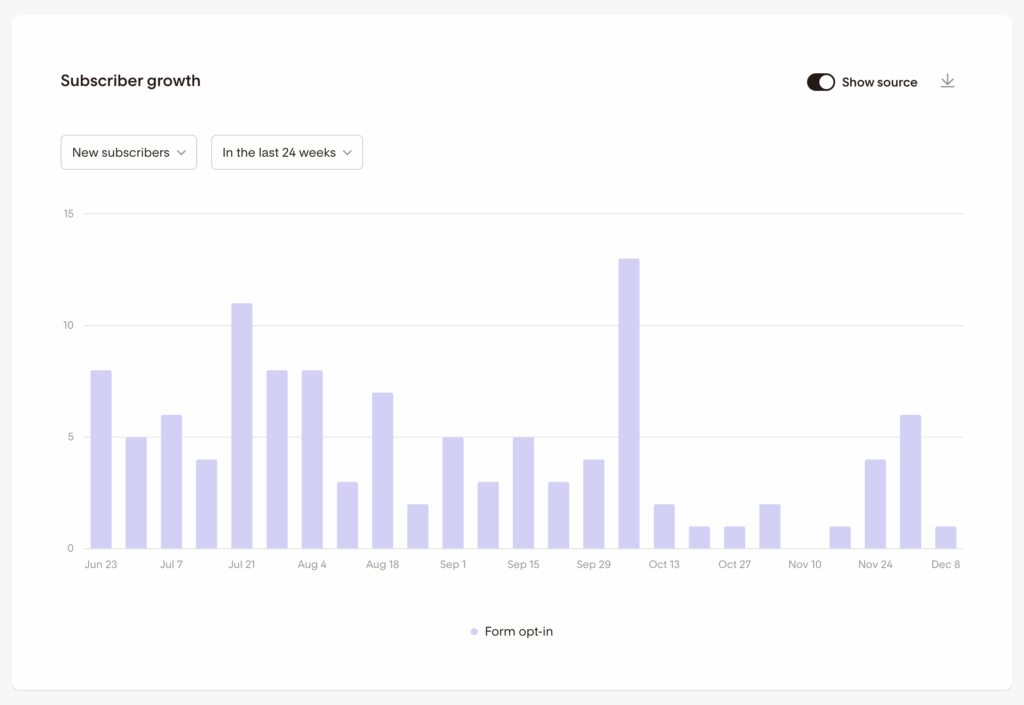
- Advanced Analytics: You can finally see granular details on subscriber growth and exactly which workflow emails are driving sales.
- E-Commerce Triggers: New abandoned cart workflows help you recover lost sales without lifting a finger.
- Team Seats: You can finally add your VA or team members to your account without sharing your login password!
Want to test these new features yourself? You can grab a 30-day free trial (no credit card required) right here: Start My Free Flodesk Trial
Flodesk Pricing Explained
If you are joining Flodesk in 2026, you have three clear options to choose from. The platform now operates on a subscriber-based model (similar to other industry leaders), meaning you pick a feature tier, and the price adjusts as your list grows.
Here is exactly which plan you need and why:
1. The Lite Plan (Best for Beginners)
Starting at ~$25/month (varies by list size) This is the perfect entry point if you just want to send beautiful newsletters and don’t need complex automations yet.
- What you get: Unlimited email sends, access to all those stunning templates, pop-up forms, and basic segmentation.
- The trade-off: You are limited to simple automations. If you want to build a complex 5-part welcome funnel that branches based on clicks, you will need to upgrade.
2. The Pro Plan (Most Popular)
Starting at ~$35/month (varies by list size) This is the “standard” Flodesk experience that most creators know and love. It unlocks the true power of the platform.
- What you get: Everything in Lite, plus Advanced Workflows. This is essential for serious business owners because it allows you to build multi-step sequences (like nurturing a new lead for weeks on autopilot) and use advanced segmentation logic.
- Bonus: You also get access to 1 Checkout, allowing you to sell a single digital product without needing a separate website.
3. The Everything Plan (For Sellers)
Premium Pricing This is the power combo for digital product sellers, coaches, and course creators.
- What you get: Everything in Pro, plus Unlimited Checkouts and advanced e-commerce automations.
- Why you need it: If you plan to sell multiple templates, guides, or mini-courses, this plan replaces the need for tools like ThriveCart or SamCart, potentially saving you hundreds a year, while keeping everything in one place.
The Verdict on Pricing
While the model has shifted, Flodesk remains one of the most cost-effective options for visual creators. The Lite plan actually makes it more affordable to get started than ever before, and the Everything plan offers incredible value by combining email and e-commerce into one monthly bill.
See the full pricing breakdown and calculator here.
Flodesk Features, The Complete Overview
Flodesk isn’t just about sending “pretty emails” anymore. In 2026, it is a full-stack marketing platform that handles everything from list growth to high-ticket sales.
Here is the deep dive into the features that make it a game-changer for creators.
1. The Design-First Email Builder
Best for: Creatives who hate fighting with code.
This is Flodesk’s superpower. While other platforms are still using clunky, grid-based editors from 2015, Flodesk uses a proprietary “block” system. You simply stack elements; images, text, buttons, or Instagram feeds, to create layouts that look like high-end magazine spreads.
- Total Brand Control: Upload your own custom fonts and logos once, and they automatically apply to every template. No more hex-code hunting.
- Interactive Elements (New for 2026): You can now drag and drop Countdown Timers (perfect for launch urgency) and Polls directly into your emails to boost engagement.
- Shoppable Blocks: If you sell products, you can drag in a product block that links directly to your checkout.
Why it wins: It ensures your emails don’t just arrive in the inbox, they feel like an extension of your website.
Read: How to Keep Your Flodesk On-Brand
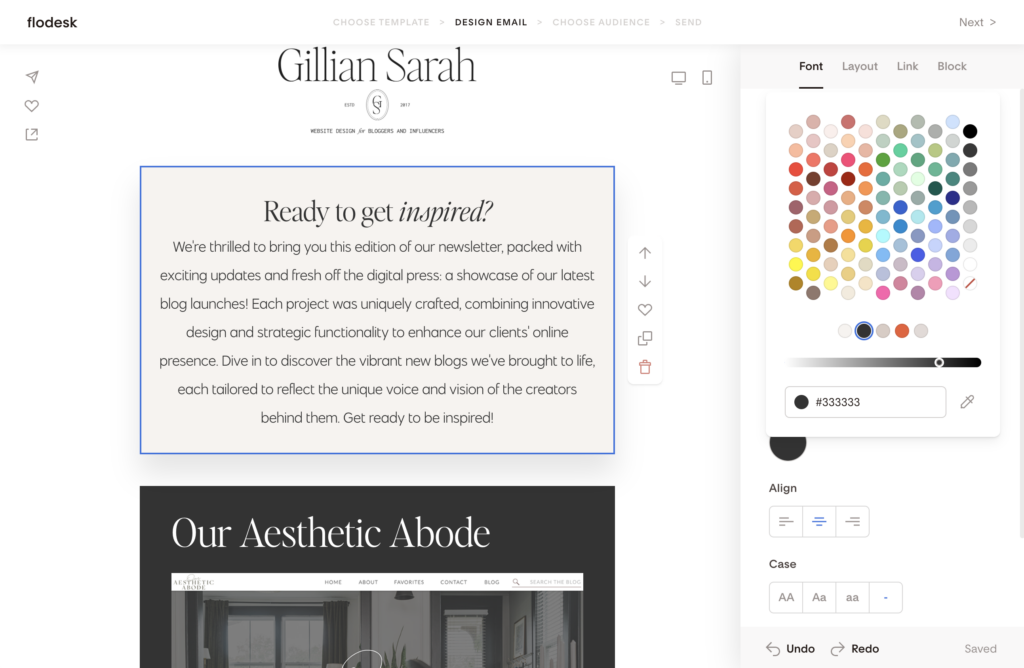
2. Forms and Popups (List Growth)
Best for: Turning casual visitors into obsessed subscribers.
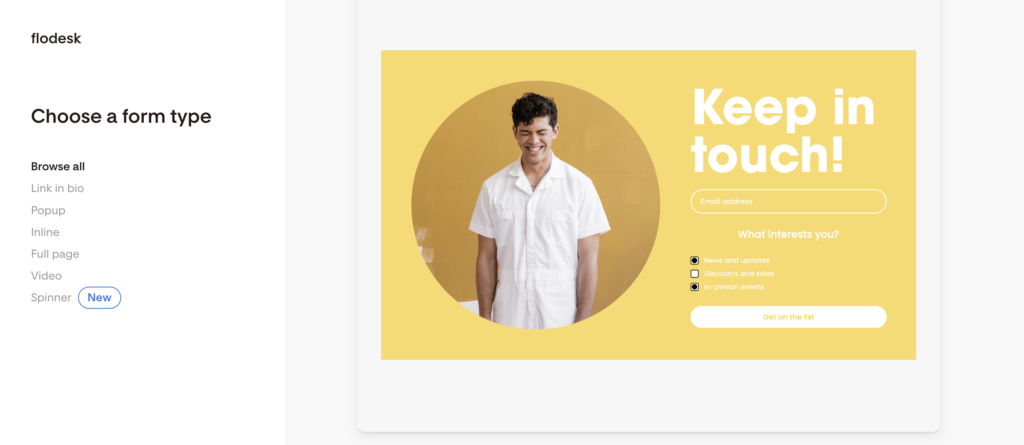
Forget those ugly, generic signup boxes that come with your WordPress theme. Flodesk forms are designed to convert. You get three high-performing types:
- Ribbon & Inline Forms: These sit seamlessly within your blog posts or website footer.
- Popups: Eye-catching overlays that you can trigger after a set time or scroll percentage.
- Full-Page Forms: These are a secret weapon! They act as mini landing pages hosted by Flodesk. You don’t even need a website to start building your list, just create a full-page form and put the link in your Instagram bio.
Read: A Guide to Creating Email Opt-In Using Flodesk
3. Workflows & Automation
Best for: Making money while you sleep.
This is where you move from “newsletter writer” to “business owner.” Flodesk’s visual automation builder lets you create journeys for your subscribers based on how they behave.
- The “Nurture” Funnel: Automatically send a 5-part welcome sequence when someone downloads your freebie.
- The “Branch” Logic: This is powerful. If a subscriber clicks a link for “Web Design,” you can automatically tag them and send them down Path A. If they click “Branding,” they go down Path B. You are serving them exactly what they want, automatically.
- Abandoned Cart: If you use Flodesk Checkout, you can now trigger emails to people who added a product to their cart but didn’t finish buying.
Read: Client Onboarding 101 Best Practices on Flodesk
4. Segmentation & Analytics
Best for: Knowing exactly what is working.
Stop “blasting” your whole list. Flodesk uses a Segment-based system (rather than rigid lists), which means one subscriber can belong to multiple groups (e.g., “Newbie,” “Customer,” “Waitlist”) without being charged twice.
- Smart Targeting: You can filter your audience by “Most Active” to reward your superfans, or re-engage cold subscribers who haven’t opened an email in 60 days.
- The Analytics Dashboard: The new reporting tools let you see exactly which workflow drove a sale, giving you the data you need to double down on what works.
Read: How to Scrub Your Cold Subscribers in Flodesk
5. Flodesk Checkouts & E-Commerce
Best for: Selling digital products without a complicated website.
If you sell e-books, templates, presets, or coaching sessions, Flodesk basically doubles as your online store.
- Seamless Sales Funnels: You can build the entire journey in one place: Opt-in Form → Nurture Email → Sales Page → Checkout → Digital Delivery.
- Upsells & Order Bumps: This is a massive update. You can now offer a “bump” at checkout (e.g., “Add the matching workbook for just $9”) to instantly increase your revenue per customer.
- Payments: It integrates directly with Stripe, so you get paid instantly.
Note: You get 1 Checkout included on the Pro plan, but for unlimited products and upsells, you’ll want the Everything Plan.
Read: Creating an eBook on Canva and Selling on Flodesk Checkout
How to Get Started with Flodesk (Step-by-Step)
Okay, you are ready to stop stressing about tech and start sending emails that actually look good. I promise, this is going to be way easier than you think. You can literally have this set up before you finish your coffee!
Here is your fail-proof roadmap to launching:
Step 1 – Create Your Account (And Make It Yours!)
First things first, let’s get you logged in. Use this link to grab your free trial + 25% off your first year. (Trust me, you’ll want that discount locked in!)
Once you’re inside, head straight to Account > Branding. This is the fun part! Upload your logo, paste in your hex codes, and link your social handles. Flodesk saves all of this, so you never have to hunt for your brand colors again.
Pro Tip: Do this before you design an email. That way, when you open a template, it will be so much easier to customise it quickly.
Step 2 – Build Your First Email
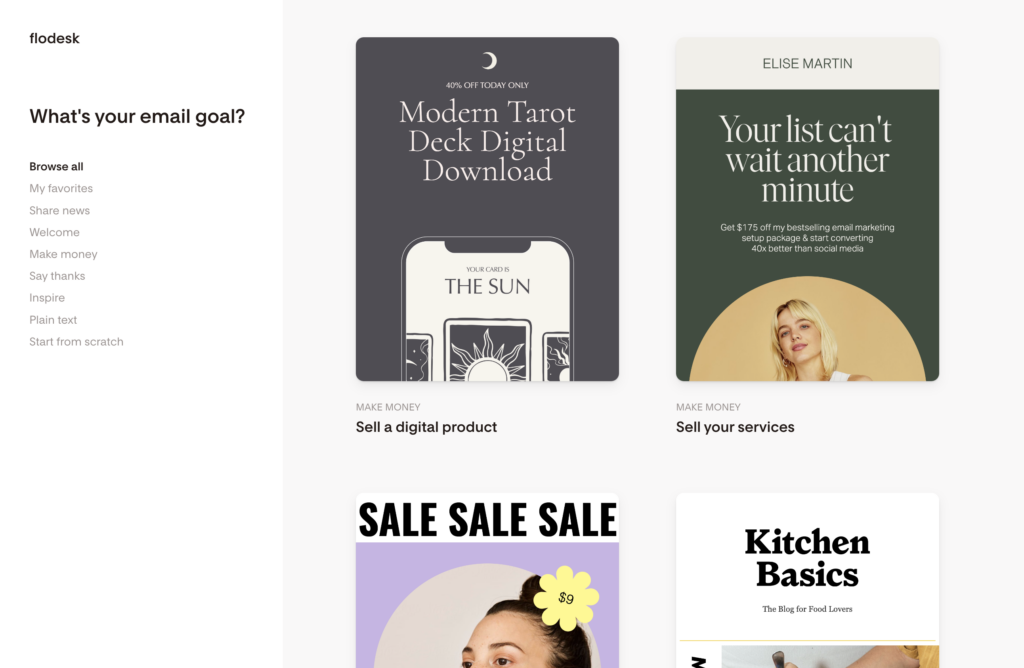
Click “Emails” > “New Email” and prepare to be obsessed. You can scroll through their library of gorgeous templates (honestly, they look like high-end magazine layouts) or start from scratch. Pick a vibe that matches your brand and just start typing. The editor is “what you see is what you get,” so if it looks good on the screen, it’ll look good in the inbox.
Don’t overthink it: Your first email doesn’t need to be a novel. Just say hi, introduce yourself, and tell them what they can expect from you!
Step 3 – Build Your First Workflow (The “Set It and Forget It” Magic)
This is where you buy back your time. We are going to set up a simple Welcome Sequence so every new subscriber gets a warm hug from you (digitally speaking) instantly.
- Go to Workflows > New Workflow.
- Trigger: Select “Subscriber is added to segment” -> Choose a segment like “Newsletter” or “Freebie.”
- Action: specific email -> “Welcome Email.”
Need a shortcut? Check out my full tutorial: Flodesk Hacks and Shortcuts.
Step 4 – Set Up a Checkout (Pro/Everything Only)
Got a PDF guide, a preset pack, or a mini-course in you? Let’s monetize it! Head to the Checkouts tab. You’ll need to connect your Stripe account (it takes about 2 minutes), and then you can build a sales page that is as pretty as your emails.
Why I love this: You don’t need a complicated website or a separate cart tool. You can just send a link and get paid. Cha-ching!
Step 5 – Send & Track Your Results
Take a deep breath and hit Send (or Schedule!). Once it’s out there, peek at the Analytics tab. You’ll see who opened, who clicked, and what device they used.
Don’t obsess over the numbers in the beginning! Use them to learn what your audience loves, not to beat yourself up. Growth takes time, and you are doing great just by showing up!
Flodesk vs Other Platforms (Honest Comparison)
I know, moving platforms is scary. Here is the honest truth about where Flodesk fits in the market now that the pricing has changed:
- Vs. Kit (It’s still ConvertKit in my brain): Kit is still the king of complex logic. If you need 50 different tag triggers, stick with Kit. But Flodesk’s Pro plan now offers enough automation for 95% of creative entrepreneurs, and it looks a million times better doing it.
- Vs. MailerLite: MailerLite used to be the “cheap” option. With Flodesk’s new Lite plan, the price gap is smaller than ever. Flodesk is much faster to learn and design in.
- Vs. Klaviyo: Klaviyo is for heavy e-commerce (Shopify stores). Unless you are running a massive store with thousands of SKUs, Flodesk Checkouts is much simpler.
Flodesk Best Practices & Tips
If you want to make the most out of Flodesk, here are some best practices and tips to follow:
1. Brand Consistency
Make sure your emails look and feel like an extension of your website or social media channels. Keep fonts, colors, and imagery consistent.
2. Keep It Simple
While Flodesk’s templates are visually rich, remember that less is often more. Clear and concise emails often convert better than overly complex designs.
3. Use Segmentation
Take advantage of Flodesk’s segmentation features. Sending personalized emails can increase your open rates and boost conversions.
4. Test Your Emails
Don’t forget to send test emails to yourself to check how they look across different devices (desktop and mobile).
5. Analytics
While Flodesk doesn’t have the most detailed analytics, keep an eye on your open rates and click-through rates to gauge what’s working and what isn’t.
Recommended Flodesk Resources and Templates
I haven’t just written about this; I’ve built resources to help you do it faster!
- The Ultimate Design Business Tech Stack: See exactly how I link Flodesk with my other tools.
- Showit x Flodesk: The exact tutorial for embedding your forms into a Showit site.
So, Is Flodesk Worth It in 2026?
Even with the pricing changes, my answer is a resounding YES.
Why? Because the best email marketing tool is the one you will actually use. Flodesk takes the friction out of the process. It makes sending emails feel like a creative joy rather than a tech chore.
And with the new Lite plan, it’s easier than ever to get started without a huge monthly commitment.
Ready to grow your list beautifully?
Start your free trial here and get 25% off your first year!
(Disclaimer: This post contains affiliate links. If you sign up using my link, I may earn a commission at no extra cost to you. I only recommend tools I use and love!)
Leave a Reply
Free, takes about half an hour, and you can leave the list whenever you like.
37 words and phrases that give AI copy away, plus the twenty minute fix for the most important line on your site.
March 4th, 2026 at 2:50 pm
This is such a fantastic Flodesk overview – it truly is the best email marketing platform for small businesses. Thank you for going into such detail.